
Electronic Signature Verification: How to Check a Signed Document
Verifying an electronic signature means answering three questions: did the person you expect actually sign, was the document changed after they signed, and when did it happen? The strongest way to answer them is to sign in a workflow that records those facts as the document is signed, so verification is a lookup rather than detective work. That is how we built SnapPact: you upload a PDF or start from an AI-generated agreement, send it to one or more signers, and keep an audit trail of the signing.
TL;DR
- Verification checks three things: the signer’s identity, the document’s integrity (no changes after signing), and the signing time.
- On a signed PDF, open it in a PDF reader, click the signature, and look for a valid status and the signer’s certificate details.
- A valid signature with an untrusted certificate means the file is intact but the signer is not vouched for. Confirm with the sender.
- In the US, an e-signature is legally recognized under the federal ESIGN Act and state UETA, but you still need proof of who signed and that they intended to.
- Platforms that capture an audit trail and reminders make verification easier later, because the evidence is created at signing.
Table of Contents
- What verification actually checks
- Two kinds of e-signature, two ways to verify
- How to verify a signature on a signed PDF
- Why the certificate matters
- When verification fails
- Keeping proof for the long term
- What the law requires in the US
- Building verifiability into the signing step
- Choosing a signing tool
- SnapPact for signing you can stand behind
- FAQ
- Sources
What verification actually checks
People use “verification” for two different things, and mixing them up causes most confusion.
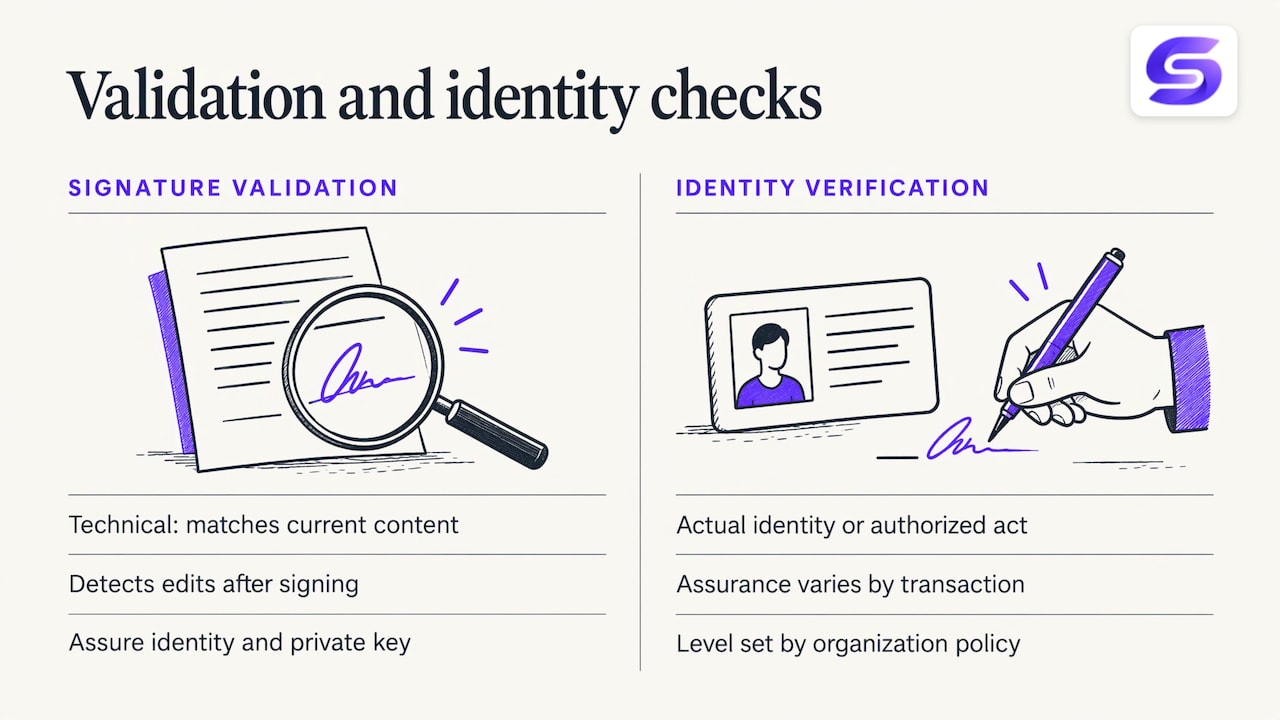
Signature validation is technical. It asks whether the signature matches the document’s current content. If someone edits a single clause after signing, validation fails. NIST’s Digital Signature Standard says a digital signature can detect whether information was modified after signing, and that the verifier also needs assurance of the signer’s identity and that the signer held the private key at the time.
Identity verification is about the person. NIST guidance notes that different transactions call for different levels of assurance: sometimes you need a person’s actual identity, sometimes only proof they were authorized to do a specific act. The organization sets that level in its own policy.
For a freelancer or small business, this translates into a simple standard: you should be able to show who signed, that they saw the final text, and that nothing changed afterward.
Two kinds of e-signature, two ways to verify
The California Department of General Services describes two main types of e-signature:
- A standard electronic signature, where the signer is verified through an email address, phone or similar identification, and an audit trail records the process.
- A digital signature, which embeds a digital certificate from a third-party Certificate Authority (an organization that vouches that a certificate belongs to a specific person or company). It authenticates the signer, the time and the document version.
The same guide notes that digital certificates are rarely needed for everyday agreements. For rental agreements, contractor agreements, NDAs and service contracts, a standard e-signature with a solid audit trail is the usual approach. If a regulator, court or counterparty requires a certificate-based signature, confirm that with a lawyer before you sign.
How to verify a signature on a signed PDF
The California guide gives a clear routine for a basic e-signature opened in Adobe Reader. The steps below follow it, with what to look for at each stage.
- Open the PDF in a full PDF reader, not a browser preview. Previews often hide signature panels.
- Click the signature. A status appears. A green check mark means the document was properly signed and unchanged. A warning at the top left means it was changed after signing, and the reader offers a link to view the signed version.
- Open the details. Choose View Details, then Signature Properties, then Show Signer’s Certificate.
- Match the signer. Confirm the “Issued by” email matches the sender’s real work email. A mismatch is a reason to stop and call the person.
- Check the time. Adobe’s documentation explains that timestamps are easier to verify with a trusted timestamp authority. Without one, the field shows the time on the signer’s own computer, which anyone can set. Signature Properties tells you which kind of time you are looking at.
Reading the results
| What you see | What it means | What to do |
|---|---|---|
| Valid signature, trusted certificate | Content intact, signer vouched for | File it with the audit record |
| Valid signature, untrusted certificate | File intact, signer not vouched for | Confirm the certificate with the sender by phone or a known email |
| Changed after signing | Content differs from what was signed | Do not rely on it. Ask for the original signed file |
| Time from signer’s clock | Time is not independently proven | Rely on the platform’s audit trail for timing |
The second row matters most. A valid signature with an untrusted certificate tells you the file has not been touched, not who made it.
Why the certificate matters
NIST’s standard explains the risk plainly: without proof of key ownership, anyone with a mathematically consistent key pair could sign a message and claim to be someone they are not. Certificates bind an identity to a key, which is why checking who issued the certificate is part of verification and not an optional extra.
When verification fails
A failed check is not proof of fraud. Documents get re-saved, converted or compressed, and any of those can break a digital signature. The South Carolina Department of Archives & History warns that in a certificate-based system, converting a document’s content nullifies the original digital signature. Work through it in this order:
- Ask the sender for the original file as signed, not a printout, scan or re-export.
- Compare it with your own stored copy.
- Confirm the signer’s identity through a channel other than the document itself.
- If money or rights are at stake and the problem remains, consult a lawyer in your state.
Keeping proof for the long term
Verification today is not much use if you cannot repeat it in three years. Texas’s UETA guidelines say that for long-term preservation, you should either keep documentation of the signature’s validity gathered at signing time, or keep the public key, certificate and revocation list so you can re-validate later. The South Carolina guidance adds that trustworthiness rests on documenting the system that creates and manages the records.
In practice: store the final signed PDF unmodified, store the audit trail beside it, and never overwrite either.
What the law requires in the US
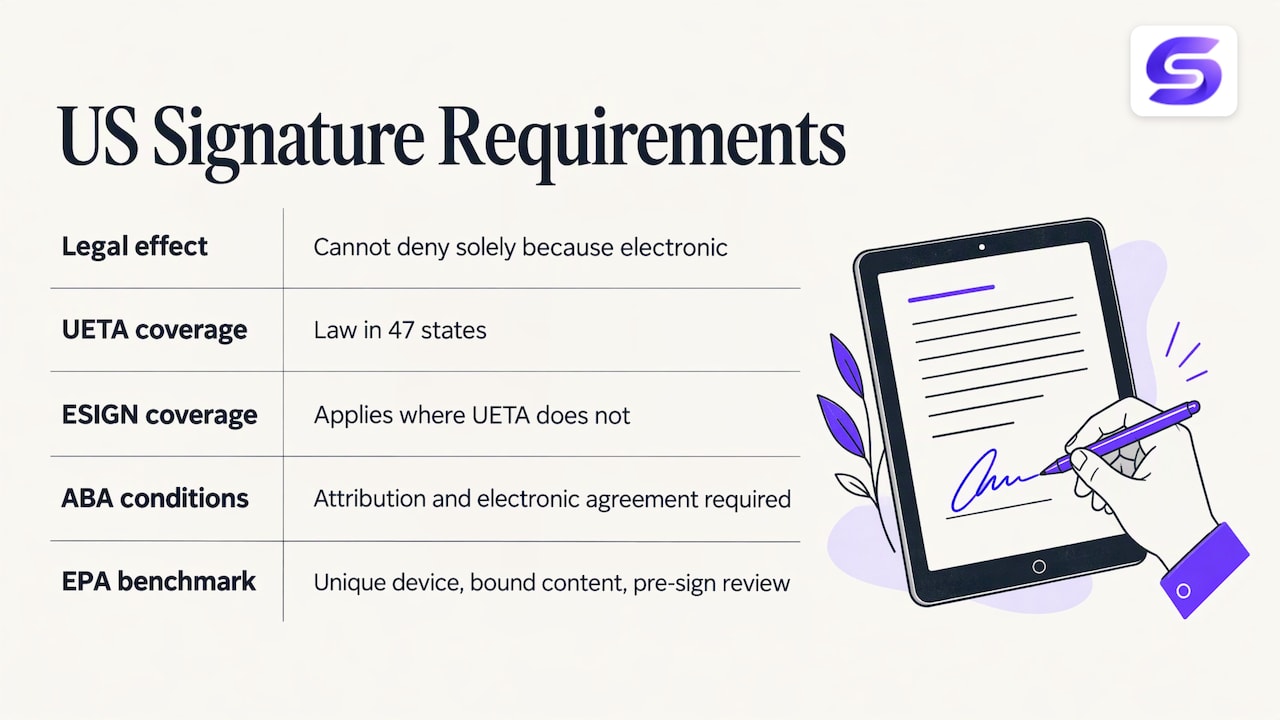
Under the federal ESIGN Act and state UETA, a signature or contract cannot be denied legal effect solely because it is electronic. The American Bar Association notes that UETA is law in 47 states, and ESIGN applies where it is not.
The ABA also lists two conditions: the signature must result from a person’s action so it can be attributed to them, and the parties must have agreed to transact electronically, which context and conduct can show. Verification is how you prove the first condition. For the full picture, see our guide on whether electronic signatures are legally binding in the USA.
The EPA’s rules for its electronic reporting system add a useful benchmark: a valid signature is created with a device the signer is uniquely entitled to use, that has not been compromised. They also require that the signature is bound to the document content so changes cannot go undetected, and that signers get the chance to review the content before signing. Those are good habits for any private contract.
Building verifiability into the signing step
It is far easier to produce evidence while signing than to reconstruct it afterward. A workflow that supports it should:
- send the document to named signers, with multiple signers in a defined order (see how to choose who signs first);
- send signing reminders so the right person completes it;
- record an audit trail of the signing;
- keep reusable templates so every contract uses the same reviewed wording.
SnapPact includes multiple signers, signing reminders, audit trails and reusable templates. If you are drafting from scratch, the AI agreement generator builds an agreement from simple questions and includes document review. Teams that want to reduce manual paperwork around signing can also read about where to start with document automation.
To send a document step by step, follow our guide to sending a PDF for electronic signature, or see how to sign a contract electronically.
Choosing a signing tool
The South Carolina guidance puts it well: no technology fully addresses your legal requirements, and a signature is only as reliable as the authority behind it and the signer’s care with their credentials. So choose on evidentiary needs: who signs, how you will show it, and how long you must keep it.
SnapPact for signing you can stand behind
SnapPact lets you upload and edit a PDF, prepare it for multiple signers, send it with reminders and keep an audit trail, all in one workflow. You can pay as you go at 2.49 USD per credit, with no mandatory subscription, or choose from optional monthly plans (Starter, Growth and Pro). Details are on the pay-as-you-go pricing page.

If you are comparing costs against subscription-first tools, our signing workflow and cost comparison lays it out.
FAQ
How do I verify an electronic signature?
Open the signed PDF in a full PDF reader, click the signature and check its status. A valid status means the file is unchanged since signing. Then open the signer’s certificate and confirm the email matches the person you expect.
Can I validate a document if the signer’s certificate is untrusted?
You can confirm the file has not changed, but not who signed it. Contact the sender through a known channel and confirm the certificate details before relying on the document.
Is an electronic signature legally valid in the US?
Yes. The federal ESIGN Act and state UETA say a signature cannot be denied effect solely because it is electronic. The signature must be attributable to a person, and the parties must have agreed to transact electronically.
Do I need a digital certificate for a freelance contract?
Usually not. California’s state guidance notes certificates are rarely needed, and a standard e-signature with an audit trail typically suffices. If a counterparty or regulator requires one, check with a lawyer.
Sources
- NIST SP 800-89, Recommendation for Obtaining Assurances for Digital Signature Applications
- NIST FIPS 186-5, Digital Signature Standard
- California Department of General Services, e-Signature User Guide
- US EPA CROMERR Lesson 5: Valid Electronic Signatures
- US EPA CROMERR Lesson 6: Signature Process
- Texas DIR UETA Guidelines
- South Carolina Department of Archives & History, Electronic Signatures
- Adobe guide to digital signatures and timestamps
- American Bar Association, Electronic Signatures and Legal Opinions
Recommended
General information, not legal advice. Requirements differ between Canada and the United States and by province or state.