
Contract Redlining Meaning: What It Is and How It Works
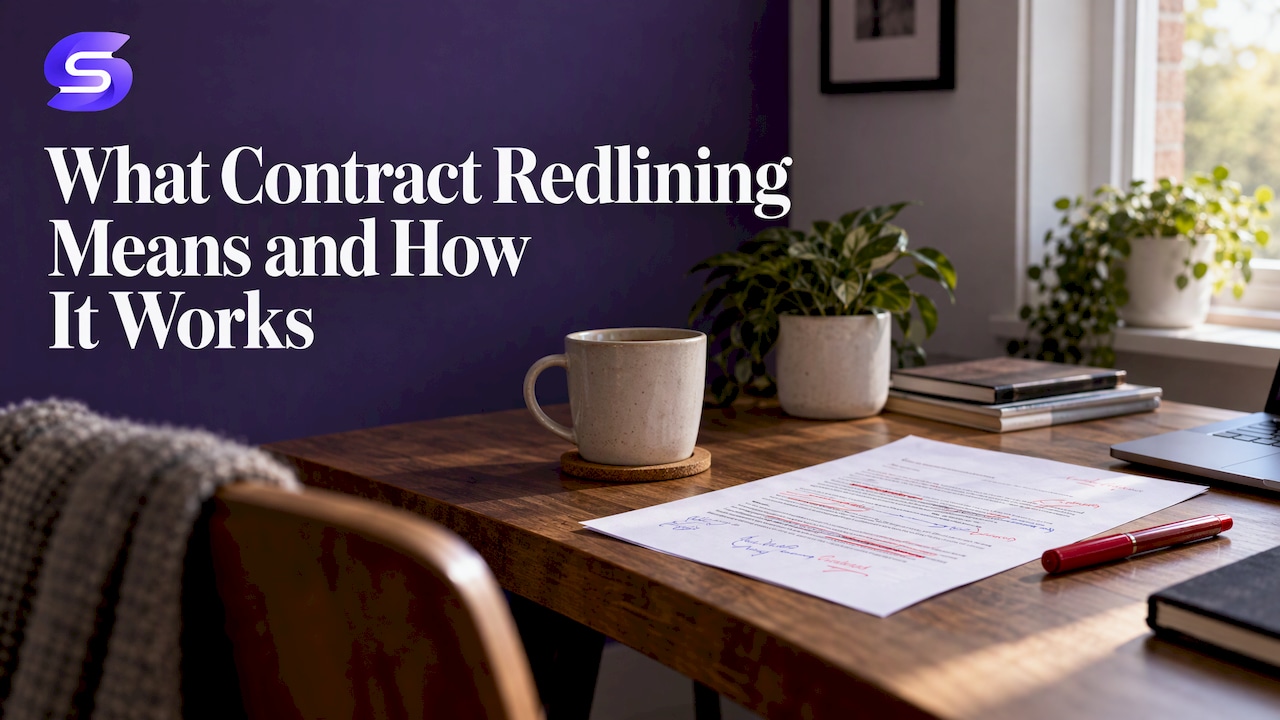
Contract redlining is the practice of marking up a draft agreement to show what you want to add, delete or change before anyone signs. Every proposed edit stays visible, so the other side can accept it, reject it or answer with their own wording. When both sides agree, the marked-up draft becomes a clean final contract, and that clean copy is the one you sign. If you send contracts to clients or receive them from vendors, you will do this sooner or later. Keeping the draft, the edits and the signed copy in one workflow is what stops deals from stalling. That is how we built SnapPact: you can upload a PDF, prepare it, send it to your signers and collect signatures in one place.
TL;DR
- Redlining means marking up a contract draft with proposed changes, comments and objections, much like Track Changes in a word processor.
- The term comes from the old habit of marking edits in red. Today the marks are usually colored text, strikethroughs and margin comments, and the color is up to the software.
- The loop is simple: one side sends a draft, the other proposes edits, you both accept or reject changes until the text is settled, then you sign a clean copy.
- Before signing, read the final version, not just the marked-up one. Pay particular attention to liability, payment, indemnification, deadlines and deliverables.
- A contract signed electronically is not less valid because it is electronic: the federal ESIGN Act bars denying a contract legal effect solely for that reason.
Table of Contents
- What redlining a contract means
- How a redline looks on the page
- The redlining process, step by step
- Redlined draft vs. clean contract
- What to check before you accept the redlines
- Redlining tips for freelancers and small businesses
- From the final draft to signatures in one place
- Where redlining fits in the bigger picture
- FAQ
- Sources
What redlining a contract means
Redlining is how two or more parties negotiate the exact words of an agreement. Nobody rewrites the contract from scratch and nobody trusts memory. Instead, one person proposes a change directly in the document, and the change is visibly tracked. A reader can tell at a glance what was in the original, what was removed and what is new.
A law firm guide for non-lawyers describes it as marking up a draft with proposed changes, disagreements, suggestions and comments, and compares it to Track Changes. That comparison is useful. If you have ever edited a shared document and watched your colleague’s deletions show up as crossed-out text, you already understand redlining.
Three things make a redline a redline:
- The original text stays visible. Deleted words are struck through rather than silently removed.
- Each change is attributable and reviewable. You can accept or reject it one at a time.
- Comments explain the why. A note such as “Net 30 is too long for a project this size, proposing Net 15” saves a phone call.
Where the word comes from
The name is literal. Lawyers used to mark paper drafts with a red pen so edits stood out against the black type. Software kept the name. Today a redline might show insertions in blue and deletions in red, or use different colors for each reviewer. The color is a setting, not a rule, so do not assume red means the same thing in every file you receive.
Redlining is not the same as “redlining” in housing or lending
The same word has an unrelated meaning in housing and banking, where it describes discriminatory practices against neighborhoods. This article is only about marking up contract drafts.
How a redline looks on the page
Most people meet redlining inside Microsoft Word. When Track Changes is on, Word highlights text that is inserted, deleted or moved. The American Bar Association’s guidance on contract review tools advises turning on Track Changes before you revise, so the person on the other side can see exactly what you did.
A typical marked-up clause might read like this:
The Client shall pay all invoices within
thirty (30)fifteen (15) days of receipt.
Here the struck-through words are the deletion and the bold words are the insertion. A comment in the margin would then explain the reason for the change.
The exact look varies with each person’s software settings. That is why the ABA suggests sending a PDF showing the changes along with the editable file. The other side then sees the marks as you intended, even if their Word displays them differently.
Comparing two versions
Sometimes you receive a new draft with no tracked changes at all. The other side may have retyped something or accepted all changes before sending. Word’s Compare feature handles this: on the Review tab you pick the original and the revised document, and Word shows the differences with revision marks. Running a comparison before you sign is a cheap way to confirm that nothing slipped in between the version you approved and the version in front of you.
The redlining process, step by step
The process is the same whether you are negotiating a $500 freelance project or a multi-year services agreement. It scales by how many people are involved, not by how it works.
1. One side circulates a draft
Someone has to put the first version on the table. If you are a freelancer or a small business, it is usually to your advantage to be the one who drafts: your wording becomes the starting point, and every change is measured against it. A clear first draft also makes the other side’s edits easier to read.
If you do not have a draft, our AI agreement generator builds a customized agreement from simple questions. It includes built-in document review, so you begin the negotiation from a complete document rather than a blank page. If you already have a contract as a PDF, you can upload and sign your PDF and work from there.
2. The other side proposes edits
The receiving party reads the draft and marks what they want changed. According to the same law firm guide, a receiving party may accept some edits, reject others or propose its own revisions. Good reviewers also leave comments, because a bare deletion tells you what they dislike but not why.
3. You review each change
Go through the changes one at a time. For each one, you have three options: accept it, reject it, or counter with different wording. Accepting everything with one click is tempting when the document is long, but it is also how people agree to terms they never read.
The American Bar Association, in a July 2026 article on negotiating tricky clauses in construction contracts, notes that parties often balance minimizing risk against completing the deal and should identify which positions are critical and where compromise is possible. Its examples are construction contracts, but the habit applies to any agreement. Before you open the redline, decide which two or three points you will not give up on. Everything else is a trade.
4. Trade drafts until the text is settled
The draft may go back and forth several times. Each round, the person who just received it reviews the changes and either agrees or marks new ones. Points that cannot be settled in the margin are better settled in a short call, with the outcome written back into the document straight afterward.
A habit that saves a lot of trouble is to name your files with a version and date, for example “Services Agreement v3, 2026-11-20”. When two copies are floating around, you will always know which one is current.
5. Create the clean final version
Once everyone agrees, accept all remaining changes and remove the comments, so that the document is clean. A redlined draft shows proposed changes during negotiation, and once all changes are agreed the final contract is created and signed. Before sending it for signature, run one last comparison against the last redlined draft, to confirm the clean copy contains exactly what you agreed.
6. Sign the clean copy
Only the final, clean version gets signed. If your signers are in different places, an electronic signature is the fastest way to finish. Under the federal ESIGN Act, an electronic signature is an electronic sound, symbol or process associated with a record and adopted with intent to sign, and a contract cannot be denied legal effect solely because it is in electronic form. For the details on how this works for freelancers and small businesses, see our guide to ESIGN Act compliance, or our overview of whether electronic signatures are legally binding in the USA.
Redlined draft vs. clean contract
The two documents serve different purposes, and mixing them up causes real problems.
| Redlined draft | Clean final contract | |
|---|---|---|
| Purpose | Negotiate wording | Record the agreed deal |
| What it shows | Insertions, deletions, comments | Final text only |
| Status | Proposal, not yet agreed | Agreed by all parties |
| Signed? | No | Yes |
| Who reads it | Each side, repeatedly | Everyone, once more before signing |
A common mistake is signing a document that still has tracked changes or open comments inside it. Those marks can be hidden or displayed depending on settings, so two people may be looking at different things. Always finalize the text first, then send it for signature.
What to check before you accept the redlines
When you are tired of going back and forth, it is easy to wave the last round through. Slow down at this point. The Business Law Group guide recommends paying close attention to liability, payment, indemnification, deadlines and deliverables. Here is what each means in plain terms:
- Liability: who pays if something goes wrong, and whether there is a cap on the amount.
- Payment: how much, when, in what installments, and what happens when an invoice is late.
- Indemnification: a promise by one party to cover the other’s losses from certain claims. It can shift a lot of risk, so read it closely.
- Deadlines: dates for delivery, approval and payment, and what happens if someone misses them.
- Deliverables: exactly what is being provided, described specifically enough that both sides would agree on whether it was delivered.
Two further checks help:
- Read around the change, not only the change. A redline highlights a sentence, but that sentence may interact with a clause three pages away. If someone changes “30 days” to “60 days” for payment, check whether a late-fee or termination clause still makes sense.
- Confirm that every agreed change made it in. Compare the clean version with the last redlined draft.
If you are unsure about the meaning of a term or clause, the guide recommends seeking legal advice. For a contract with significant money, liability or long-term obligations attached, that means a licensed attorney in your state, who can review the specific language before you sign.
Redlining tips for freelancers and small businesses
You do not need a legal department to negotiate well. A few habits go a long way.
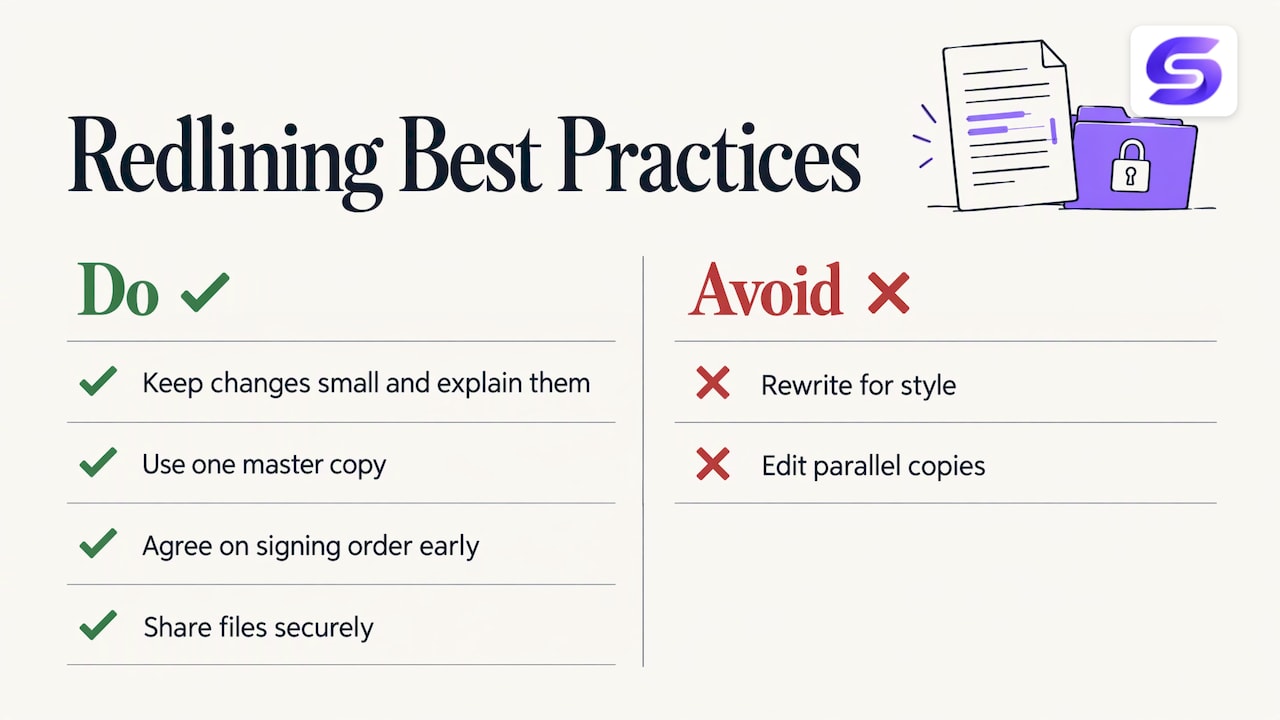
Keep changes small and explained. A short comment beside each edit makes agreement faster. People accept changes they understand.
Do not rewrite for style. Change what matters to the deal. If you rewrite every sentence, the other side cannot tell your important edits from your preferences, and they will push back on all of them.
Use one master copy. Choose who holds the master document in each round. Parallel edits by two people on separate copies are the most common source of confusion.
Agree on the signing order early. If more than one person has to sign, decide who goes first. Our guide on choosing who signs first explains how the order can matter.
Share files securely. Contracts often contain pricing and personal details. Our guide to secure document sharing covers how to send them safely.
Start from a solid template. The more complete your first draft, the fewer redlines you will see. Our contract templates explain common agreements such as NDAs, independent contractor agreements and rental agreements, and our freelance contract guide walks through the key clauses.
From the final draft to signatures in one place
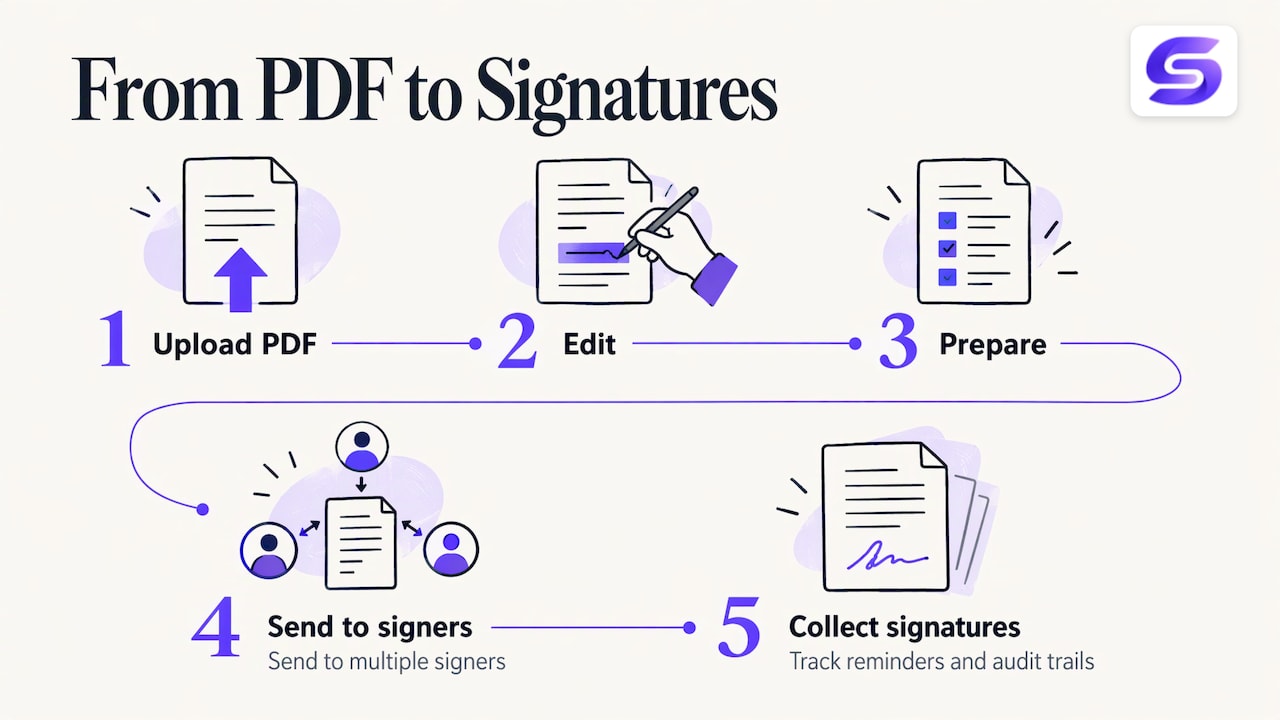
Redlining is the negotiation. The finish line is a signed agreement everyone can find later. With SnapPact you can upload a PDF, edit it, prepare it, send it to multiple signers and collect signatures, with signing reminders and audit trails. You can also keep reusable templates for the agreements you send most often, so each new deal starts from your own wording.
If you send only a few documents, you can pay per use: a single credit is $2.49, one-off, with no mandatory subscription. If you send more, optional monthly plans (Starter, Growth and Pro) are available. See the pay-as-you-go options and plans for details, or start by uploading and signing a PDF.

If you want to see how the signing step works before you have a contract to send, our walkthrough on how to send a PDF for electronic signature covers it from preparing the file to tracking replies.
Where redlining fits in the bigger picture
Redlining is one step in a longer chain: draft, negotiate, finalize, sign, store. People often treat these steps as separate jobs handled in different tools, and that is where versions get lost. A signed PDF in one inbox, a Word file with tracked changes in another, and an email thread that is the only record of what was agreed: that is how disputes start months later.
The habit that fixes it is to treat the signed clean copy as the single source of truth. Keep it with the audit trail showing who signed and when, and keep the negotiation drafts only as background. If a disagreement comes up later, you want one document, one date and one record of consent, not a stack of competing versions.
FAQ
What does it mean to redline a contract?
It means marking a draft contract with proposed additions, deletions and comments so the other party can see exactly what you want changed. The other party then accepts, rejects or counters each change. The process repeats until both sides agree on the wording.
Why is it called redlining?
The name comes from the practice of marking paper drafts in red ink so edits were easy to spot. Software still uses the term, though the marks can be any color. What matters is that the original text and the changes both stay visible.
Is a redlined contract legally binding?
No. A redlined draft is a negotiation document that shows proposed changes. The agreement is created when all changes are settled and the parties sign the final, clean version. A signature can be electronic: the ESIGN Act says a contract cannot be denied validity solely because it is in electronic form.
Do I need a lawyer to redline a contract?
Not for every contract. Many freelancers and small business owners handle straightforward agreements on their own. If you are unsure about a term or clause, or the deal involves significant liability or money, ask a licensed attorney in your state to review it before you sign.
How do I see what changed between two versions of a contract?
In Word, use Review, then Compare, then Compare Documents, and choose the original and the revised file. Word shows the differences with revision marks. Do this before you sign to confirm the final copy matches what you agreed.
Sources
- Understanding Contract Negotiation Through Redlining for Non-Lawyers, Business Law Group
- Digital Tools for Contract Review and Negotiation, American Bar Association
- A Practical Guide to Negotiating Tricky Clauses in Prime and Subcontracts, American Bar Association
- Electronic signature, Wex, Cornell Law School Legal Information Institute
- Compare and merge two versions of a document, Microsoft Support
Recommended
General information, not legal advice. Requirements differ between Canada and the United States and by province or state.